
LinkedIn Calendar Sync
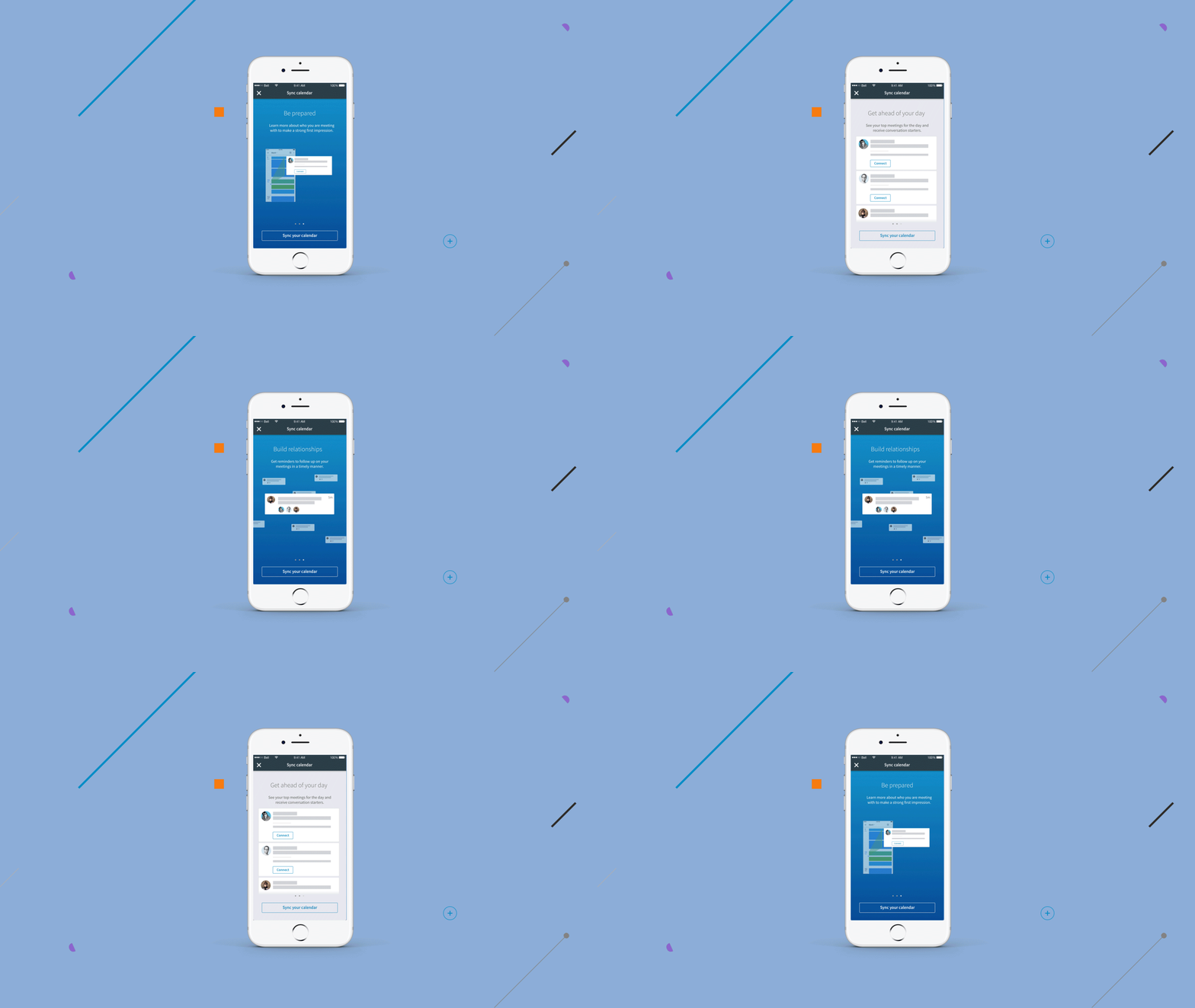
What is Calendar sync
The Calendar sync feature provides users a way to sync up their work calendar and improve their experience in the app, by providing relevant information about their meetings, like LinkedIn profile of the people in the meeting, and reminders on the meeting.
My Role
Project Spec, Research, Ideation, Design, Prototyping
Project date: 2016
Project Spec
Project objectives
Current users are either unaware of the benefits of using the current calendar sync, or have already synced up the calendar but not getting benefits from that, the objective is to figure out why and priovide a solution.
Design milestones
- Create a better on-boarding experience
- Reach pain points for current users that did not see value
- Update the expereince for users that fail to sync
Member Value
Educating new users of the benefit of syncing up their calendar. And to re-engage current users that are synced up but does not see the benefit.
Project scope
Creating an onboarding experience that would educate about the benefits · The new extended experience adds coverage to the error states in which the user has no events and completes the calendar sync experience.
On-boarding experience
Key goals
- Crafting a story to educate users of what happens when you sync
- Animated UI elements flows between screens
- A more informative on-boarding experience
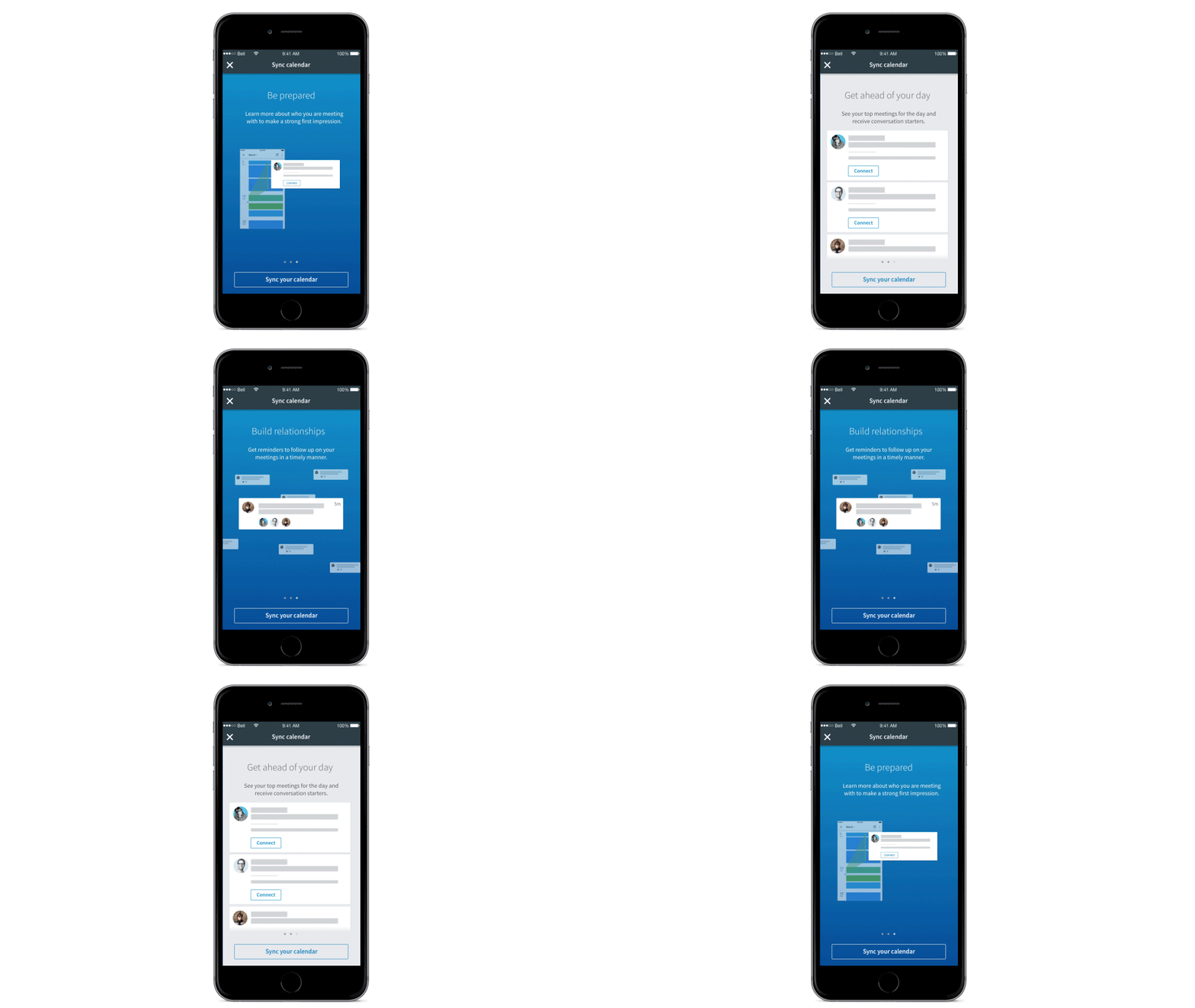
Education points
- Be prepared: Learn more about who you are meeting with to make a strong first impression
- Get ahead of your day: See your top meetings for the day and receive conversation starters.
- Build relationships: Get reminders to follow up on your meetings in a timely manner.
User flow
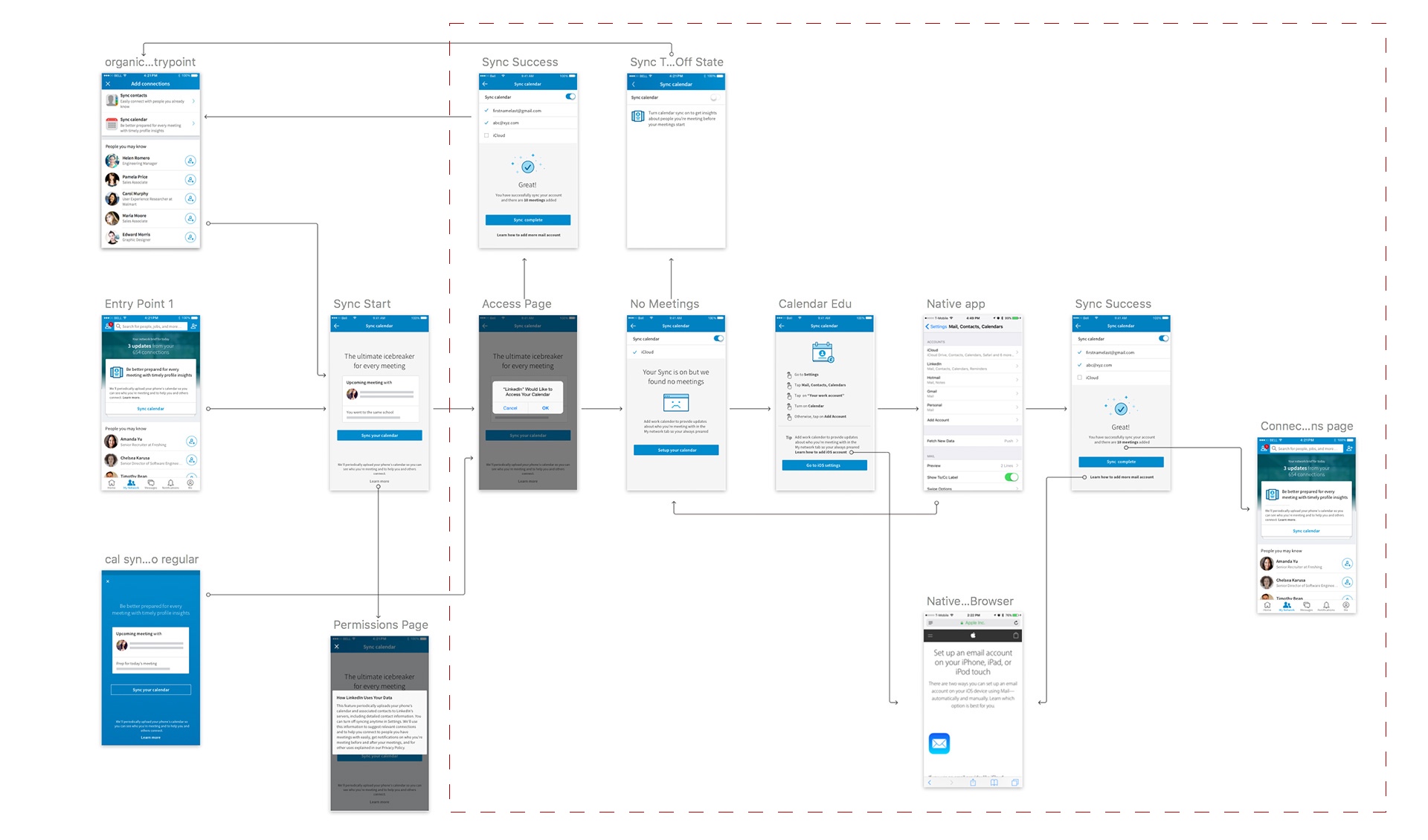
By creating a user flow of the current experience, I uncovered 2 areas in which the experience was broken, one was that when the sync fails, theres no clear direction on next steps, and the users has no real way of knowing if they had a successful sync.
Current user flow
The existing user experience is define outside of the dotted lines, where users are asked to sync, there is however no experience if the sync fails.
Extended user flow
The new extended experience adds coverage if the user has a sync fail in which would help the user along and guide them through completion of the sync process.
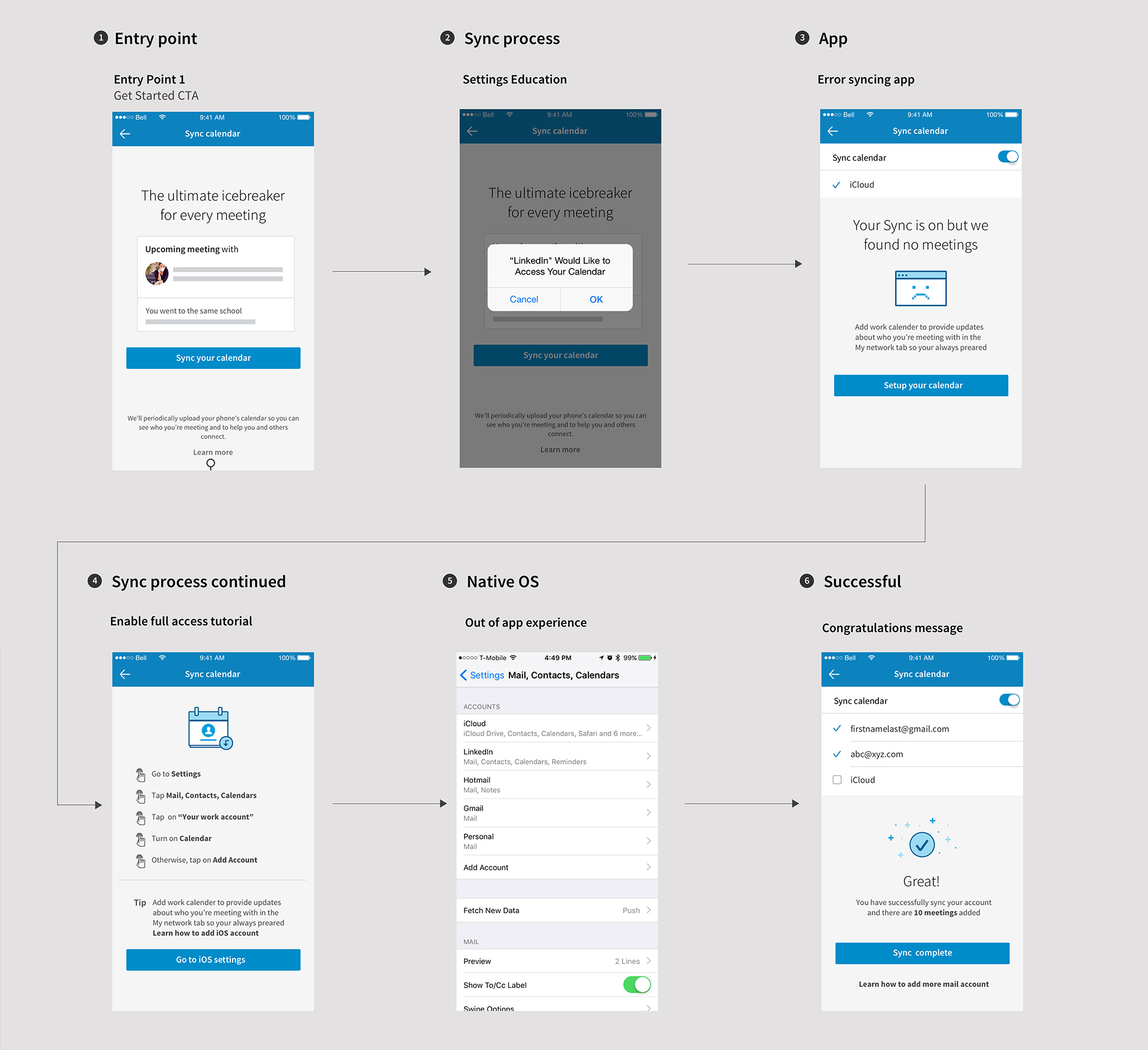
Ideal scenario → Member Calendar sync walk-through
This flow is a example of the user going though the on-boarding through the error state, sync tutorials and success state.
Project takeaways
Drive education of the importance of calendar sync and increase activations of the calendar sync feature, and it also improve the ease of setup when user’s calendar is not synced properly.